

Use web assistants with the app
ChatGPT, Claude on the web, Perplexity and Grok all run in your browser, on the assistant company’s own servers — not on your Mac. That’s the one difference that matters here.
Because they run out on the internet, they can’t reach the Esment app sitting on your Mac directly. To connect them, the app opens a temporary, secure web address that points back to your Mac. Esment has a built-in one-click tunnel that does this for you — no terminal, no extra account, nothing technical.
The simplest path: Esment Cloud
Before setting up the tunnel, it’s worth knowing there’s an even simpler option for web assistants: Esment Cloud. Because it’s already hosted on the web, web assistants can reach it directly — so there’s no tunnel to run and nothing to keep open on your Mac. You just paste one link and sign in.
If web assistants are your main use, Esment Cloud is the shortest route. The tunnel below is for keeping everything on your own Mac while still using web assistants.
Choose the tunnel if you want your memory to stay entirely on your own computer. Choose the cloud if you just want the quickest way to connect a web assistant. The rest of this guide covers the tunnel.
Turn on the tunnel
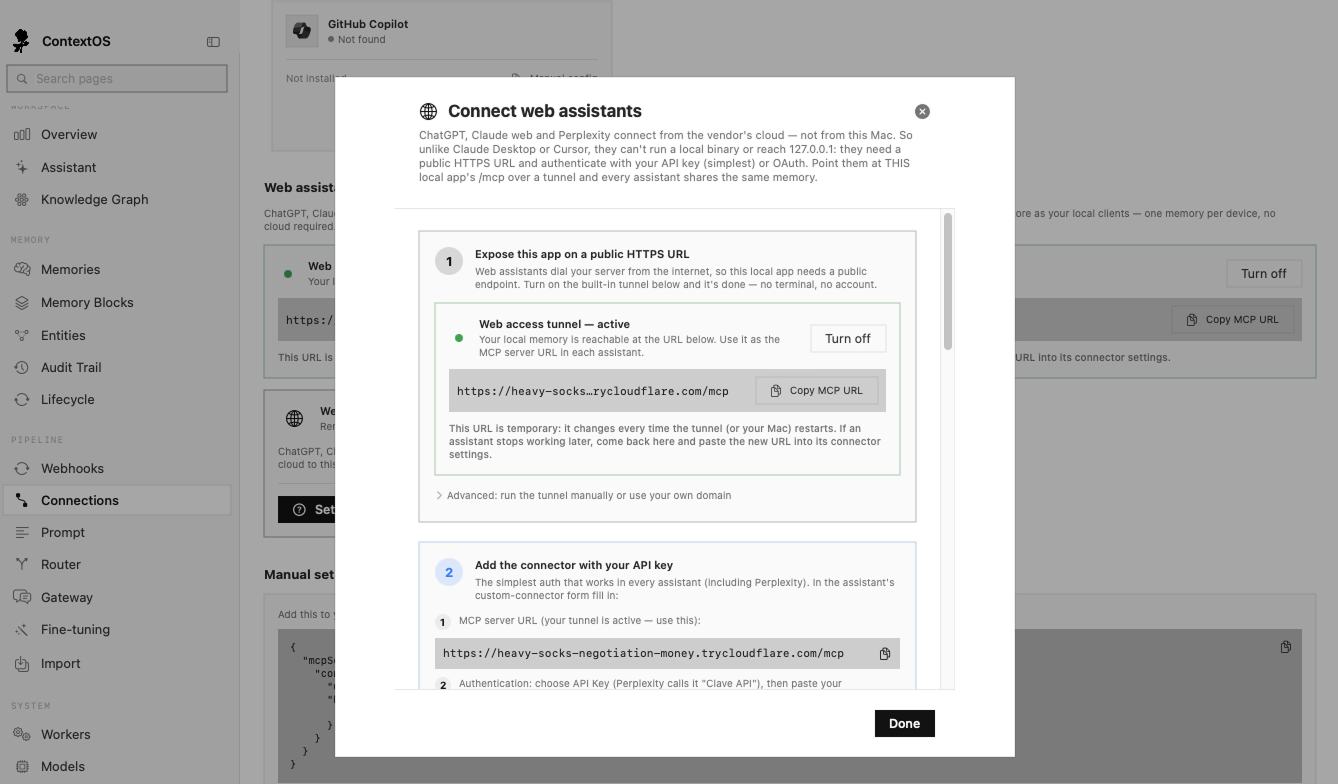
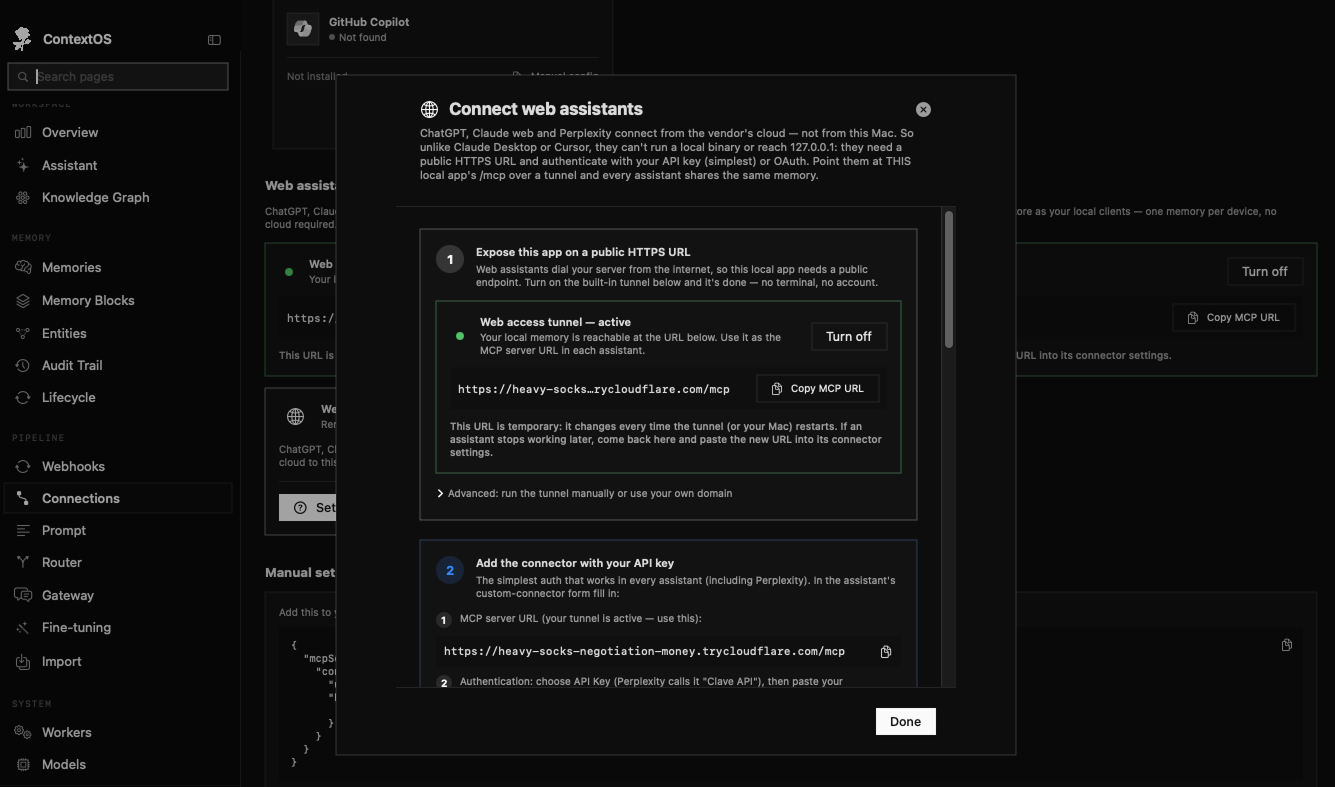
The tunnel gives your Mac’s memory a temporary public web address that assistants can reach. It’s a single switch.
Switch it on
- 1Open Esment and go to the Connections page.
- 2Find the Web assistants section and click Turn on on the tunnel.
- 3Wait a few seconds. A secure web address (starting with https://) appears.
- 4Click Copy to copy that address — you’ll paste it into your assistant next.
The tunnel’s address changes each time it (or your Mac) restarts. If an assistant stops finding your memory later, come back here, copy the new address, and paste it into the assistant’s settings again. If you’d rather never deal with this, Esment Cloud avoids it entirely.
Connect an assistant
Each assistant has its own “connectors” screen where you add a custom connection. The details you enter are the same everywhere: the address from the tunnel, and a way to sign in.
What you’ll enter
- The connection address — the tunnel address you copied, which the app shows ending in /mcp.
- An access key — the simplest sign-in that works in every assistant. Copy it from Esment under Settings → Connection (the “Admin Token”), and paste it as the connector’s API key.
Where to add the MCP connector in each assistant
- 1Perplexity (Pro or Max): Customize → Add custom connector (MCP). Paste the address, then under advanced options choose API key and paste your access key.
- 2ChatGPT: Settings → Security and login → turn on developer mode. Plugins → Create → paste the address.
- 3Claude web: Settings → Connectors → Add custom connector → paste the address.
- 4Claude Plugin web: Settings → Plugins → Browse/Upload
- 5Grok (paid plans): grok.com/connectors → New Connector → Custom. Paste the address, then choose API key and paste your access key — see the Grok guide.
ChatGPT and Claude web can also connect by signing in (OAuth) rather than pasting a key. To use that, first turn on Settings → Web access in Esment, then pick the sign-in option in the assistant. For Perplexity, use the access key above.
Make it actually use your memory
Once connected, some assistants use your memory on their own; others need a nudge. Esment gives you a ready-made block of instructions that tells the assistant to recall context before it answers and save new facts as they come up.
- Claude receives these instructions automatically — nothing to paste.
- ChatGPT, Perplexity and Grok need you to paste the block into their custom instructions or system prompt, once.
You’ll find the exact block to copy inside the Esment Web assistants setup guide (the Setup guide button on the Connections page). Copy it, paste it into the assistant’s custom instructions, and save.
Good to know
- Keep Esment running. Web assistants reach your memory through the app, so it needs to stay open (in the menu bar) and the tunnel on while you use them.
- Desktop apps don’t need the tunnel. Claude Desktop and Cursor run on your Mac, so they connect directly — see the assistants guide.
- Everything still stays on your Mac. The tunnel only forwards requests to your own computer; your memories are not copied to anyone else’s servers.
If juggling a temporary address feels like too much, Esment Cloud gives web assistants a permanent link with nothing to keep running.