

ChatGPT
Add Esment as a connector in ChatGPT so it can recall and save memories.
Add the connector
ChatGPT runs on OpenAI’s servers, so it needs a public web address for your memory. Get it first, then add it in ChatGPT.
- 1In Esment, open Assistants and click the ChatGPT card.
- 2Click Turn on next to the tunnel and copy the address ending in /mcp.
- 3Follow the ChatGPT steps below. For sign-in, either switch on OAuth sign-in and click Apply, or use Copy admin token as an API key.
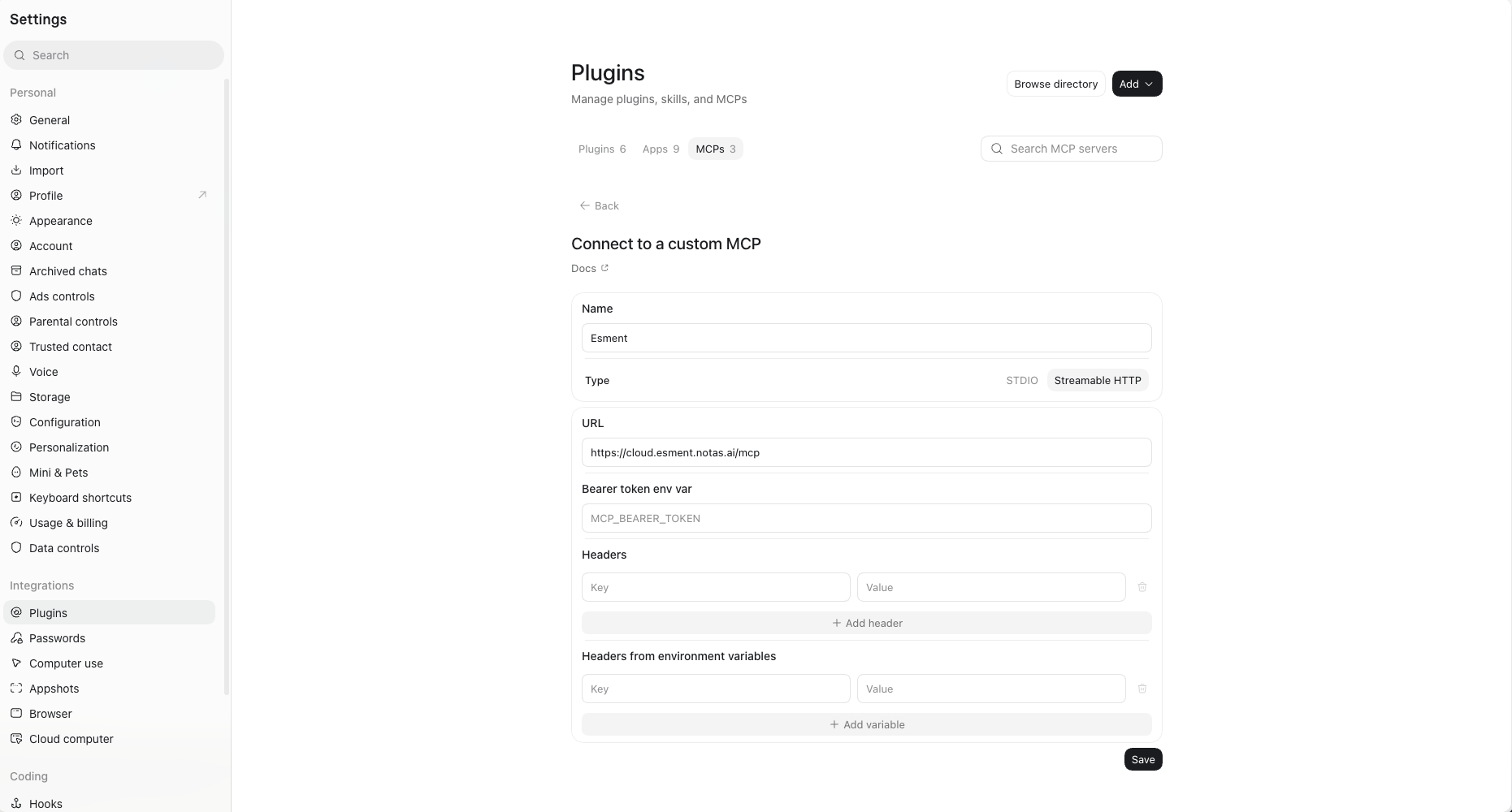
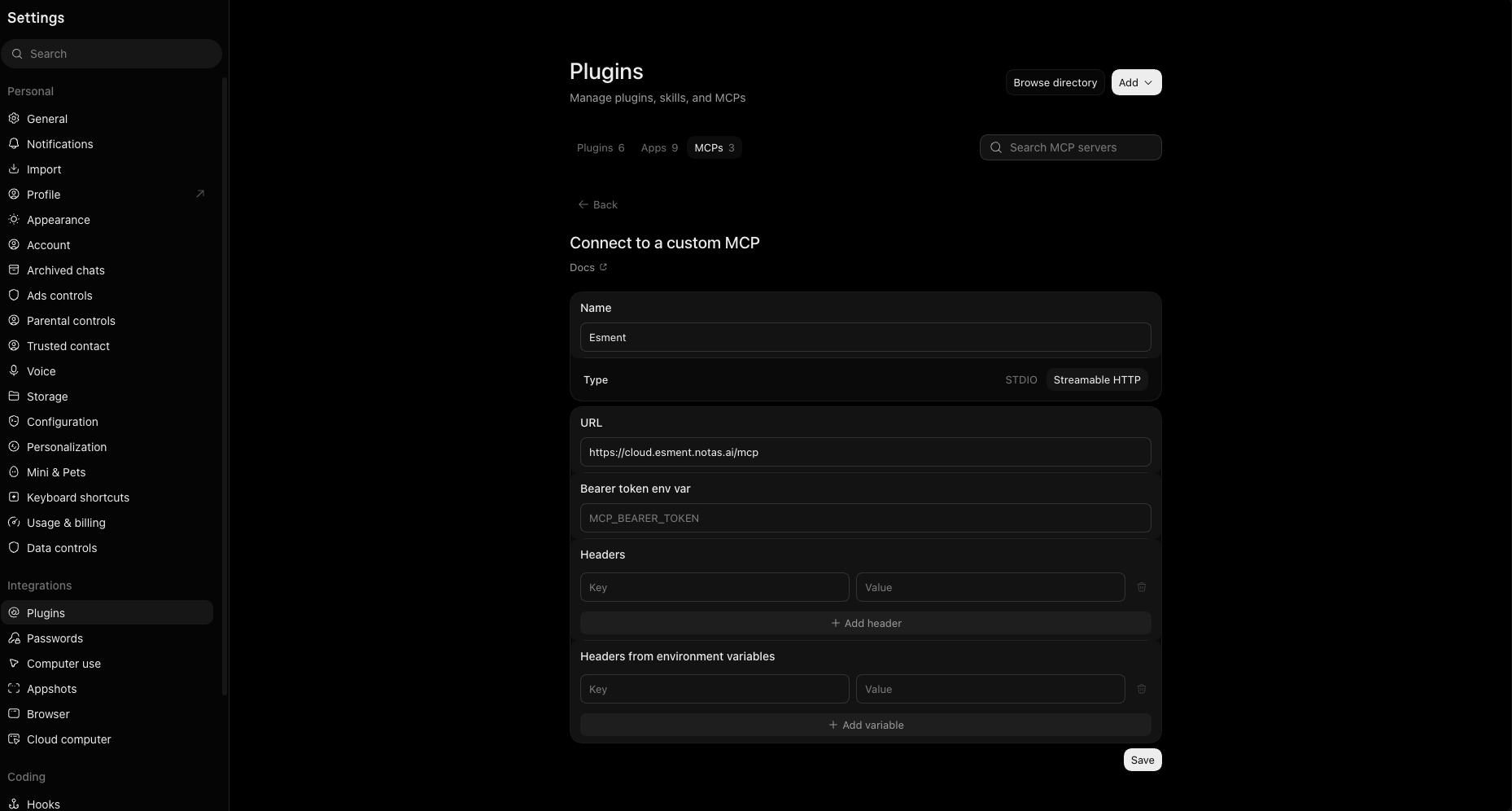
- 1In ChatGPT, open Settings → Plugins and go to the MCPs tab. Developer mode must be on (see the next section).
- 2Click Add and choose to connect a custom MCP. The Connect to a custom MCP form opens.
- 3Under Name, type Esment. Under Type, choose Streamable HTTP.
- 4Paste the address into URL and click Save.
Developer mode
ChatGPT only shows the option to add a custom MCP once developer mode is on. It is a switch in Settings that you turn on once.
ChatGPT’s menus change often, and some plans or workspaces do not offer developer mode. We have not verified which plans can add custom connectors.
What ChatGPT can do
- Search your memory before it answers.
- Save new facts, preferences and decisions you share.
- Show what it remembers when you ask.
Memories saved this way say which assistant saved them, for example “via ChatGPT”. ChatGPT does not receive Esment’s instructions on its own, so teach it once. See Teach your assistants.
Check it works
Start a new chat and say:
Check my Esment memory: what do you know about me?
ChatGPT may ask for permission to use Esment. Allow it. If it finds nothing, tell it a fact and ask in another chat.