

Library
Longer pages that Esment writes from your memories, which you and your assistants can read.
What a page is
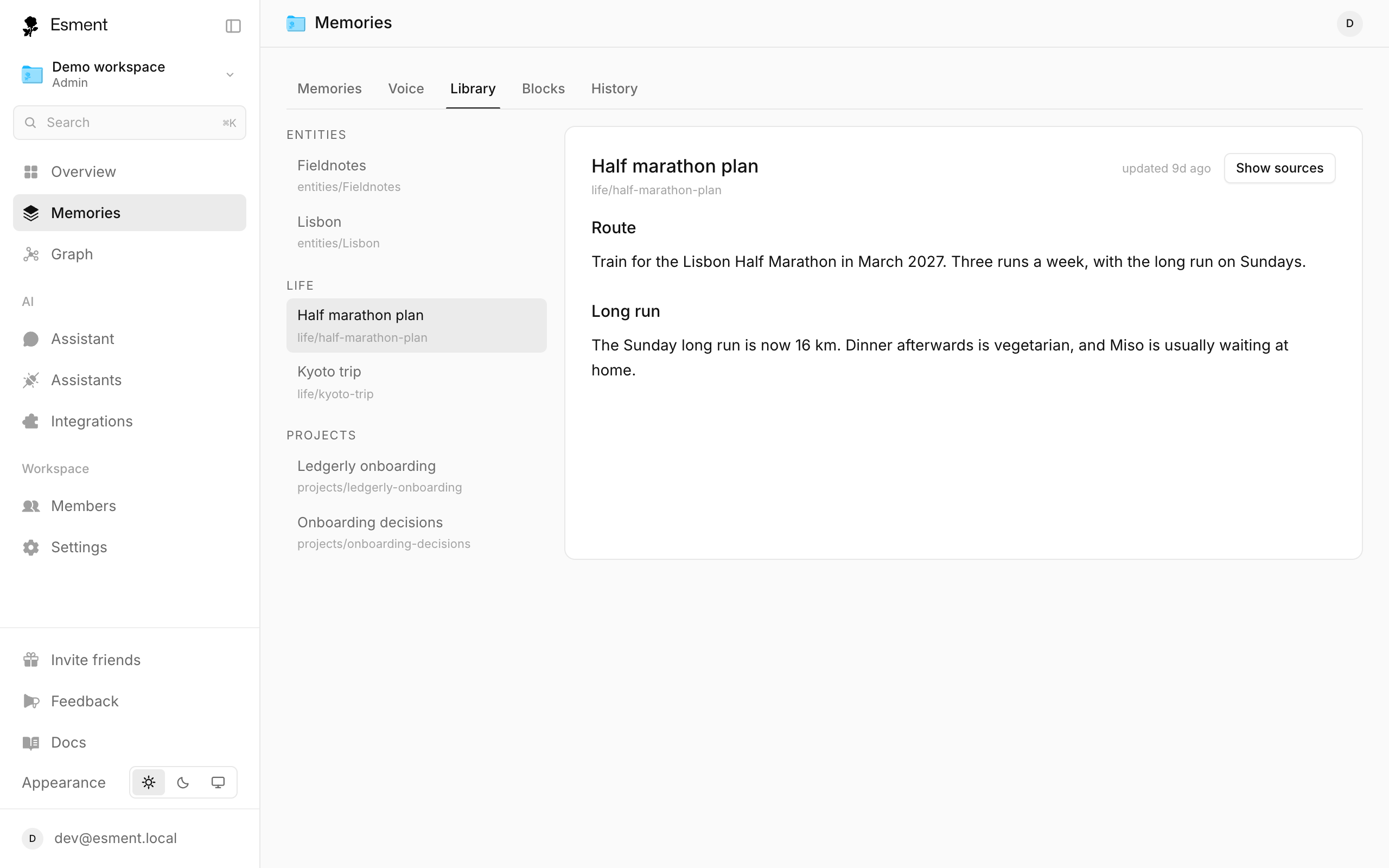
A memory is one small fact. A page is the bigger picture: a short article about a person, a project or a topic, built from many memories. The Library is where those pages live, sorted by their path, such as entities/acme.
- Derived pages are written automatically from what Esment has learned. They refresh as you add more.
- Authored pages are documents rather than automatic summaries.
- Every page is split into sections, and you can show the sources behind a sentence.
- 1Open Memories → Library.
- 2Use All, Derived, Authored or Review to filter. Click a page to read it.
- 3No pages yet? Click Sync (or Build pages) to write them from your memories.
Review changes (Mac)
A page never changes behind your back. When Esment wants to change a page, the proposal waits in the Review tab of the Mac Library. There you can Approve it, edit it and Save & approve, or Reject it. Nothing is applied until you approve.
Packs
A Context Pack is different: it is a full backup of your memory in one file, including archived memories and blocks. You can import it anywhere without losing anything.
- Export pack (in Memories, on the Mac and the web) downloads the file. It is a plain JSON file and nothing is sent anywhere else.
- Preview pack… (web) lets you check what a pack would add before anything is written.
- The Mac app can also import a pack from its Lifecycle tools with Import pack…; memories that are already there are skipped.
How to import a pack on the web, and where the Mac Lifecycle screen is opened from, are not covered here yet.
Use them in an assistant
Your connected assistants can list your pages and read them through Esment, so you do not have to paste documents into a chat. Just ask by name.
Read my Esment page about Acme and summarise where we stand.
If the assistant does not find it, ask “what pages do I have in Esment?”. For assistants that need a nudge to use Esment, see Teach your assistants.