

Capture & import
On the Mac, save a thought from anywhere in two seconds, or bring in conversations you already had.
Quick Capture (⌥C)
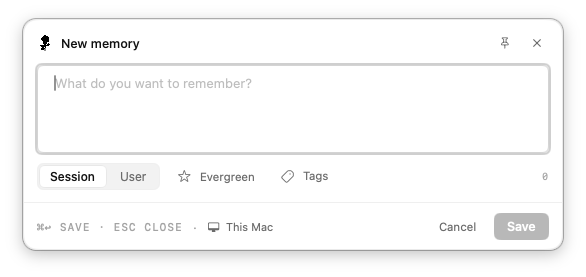
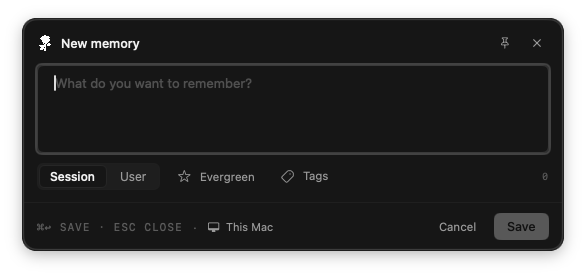
Sometimes you just want to jot something down without opening an assistant. Quick Capture opens a small note on top of whatever you are doing. It is a global shortcut, so you do not need to switch to Esment first.
- 1Press ⌥C (Option-C) from any app. You can also choose Quick Capture (⌥C) from the Esment menu bar icon.
- 2Type what you want to remember.
- 3Choose Session (about what you are doing now) or User (a lasting fact about you).
- 4Optional: click the star to mark it Evergreen (never archived automatically) or Tags to add tags such as “tag1, tag2”.
- 5Press ⌘Return to save, or Esc to close without saving.
Import conversations
Already have history worth keeping? The Mac app can read conversations from elsewhere and extract the facts worth remembering. The files stay on your Mac.
- 1Open Memories and click Import….
- 2Under ChatGPT export, drop the conversations.json file from your ChatGPT data export, or click Choose file…. Exports from Claude.ai are recognised too.
- 3Review the conversation turns Esment found. Use Select all or Deselect all, then click Import … turns.
The Local AI transcripts section is a switch that starts Off. If you turn it on, Esment reads the conversation transcripts that Claude Code stores on your Mac. You can click Preview what would be imported first, and Delete all imported removes only what the import added.
Importing needs a local AI model on your Mac to read the conversations, such as Ollama or a local llama-server, or an OpenAI key. Without one, imports wait in a queue until it is available.
How to request your ChatGPT export, and the Esment steps for Claude.ai exports, are not covered here yet.
Paste a transcript
Have a chat from anywhere else, in any app? Paste it in and Esment will treat it like an imported conversation.
- 1In Import…, paste the text into the box. A format like “User: … / Assistant: …”, or alternating paragraphs, works.
- 2Click Parse transcript.
- 3Tick the turns you want and click Import … turns. Esment reports how many were queued and how many were already present.
- Nothing is uploaded: the text is only sent to the memory engine on your Mac.
- Imported facts become ordinary memories you can edit or forget. See Find, edit & forget.